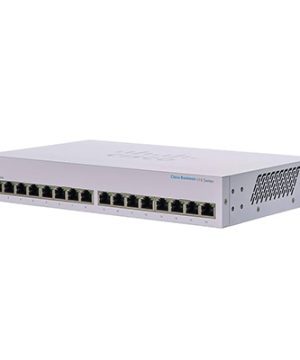


Huawei USG6000E-S13-AC Next-Generation Firewall
USG6000E-S13 Host(2*GE RJ45 + 8*GE COMBO + 2*10GE SFP+,1 AC power,Include SSL VPN 100 Users)
Description
USG6000E-S13
Overview
Table 2-7 Basic information about the USG6000E-S13
| Description | Part Number | Model | First supported version |
|---|---|---|---|
| USG6000E-S13-AC Host(2*GE RJ45 + 8*GE COMBO + 2*10GE SFP+,1 AC power,Include SSL VPN 100 Users) | 02355YXM | USG6000E-S13-AC | V600R007C20SPC605 |
Appearance
Figure 2-6 Appearance of the USG6000E-S13 (front view)

Figure 2-7 Appearance of the USG6000E-S13 (rear view)

Components
Figure 2-8 Components of the USG6000E-S13

1. Product series ID | 2. Indicator and button area | 3. Fixed interface area | 4. Protective ground terminal | 5. MAC label |
6. SN label | 7. Fan module | 8. Optional power module slot | 9. Power module | – |
Table 2-8 Component functions
Name | Description |
|---|---|
Product series ID | Indicates the product series of the device. For details about the product model, see the nameplate in the lower part of the device. |
Indicator and button area | Provides multiple indicators to display the running status of the device in real time and provides the RST button for emergency maintenance. |
Fixed interface area | Provides service ports, USB ports, console ports, and out-of-band management ports for device configuration and maintenance. |
Protective ground terminal | Connects the M4 OT terminal of a PGND cable to the cabinet or the ground bar in the equipment room. |
MAC label | Uniquely identifies the MAC address of the device, which is required during network forwarding configuration. |
SN label | Uniquely identifies the device, which needs to be provided for the local technical support personnel to apply for a license. |
Fan module | Dissipates heat for the device and is swappable. The fan module can be removed for no more than 1 minute. The slot number of the fan module is 4. |
Power module | Provides power input and distribution for the device. One power module is included in the standard configuration. Two power modules can be configured to achieve 1+1 power redundancy. When one power module is running properly, the other one is hot swappable. The silkscreens of the power module slots are PWR1 and PWR2, and the corresponding slot numbers are 2 and 3 respectively. |
Indicators and Buttons
Figure 2-9 Indicators and buttons on the USG6000E-S13

1. PWR, SYS, USB, HA, WAN and CLOUD indicators | 2. GE electrical port ACT indicator | 3. GE electrical port LINK indicator | 4. Optical port ACT indicator | 5. Optical port LINK indicator |
6. MGMT port indicator | 7. RST button | – | – | – |

Arrowheads of optical ports show the positions of the ports. A down arrowhead indicates a port in the upper part, and an up arrowhead indicates a port in the lower part.
Table 2-9 Indicators on the USG6000E-S13
| Silkscreen | Name | Color | Status | Description |
|---|---|---|---|---|
| PWR | Power indicator | Green | Steady on | The power module works properly. |
| – | Off | The power module is faulty or the power cable is disconnected. | ||
| SYS | System indicator | Green | Steady on | The system is being powered on or restarted. |
| Green | Blink every two seconds (0.5 Hz) | The system is running normally. | ||
| Green | Blink four every second (4 Hz) | The system is starting. | ||
| Red | Steady on |
NOTE: If the system starts with dual power modules but one power module is not powered on, the System indicator is steady red, but the system is operating properly. | ||
| – | Off | The system is not running. | ||
| USB | USB indicator | Green | Steady on | USB-based deployment is complete. |
| Green | Blink four every second (4 Hz) | The data of USB-based deployment is being read. | ||
| Red | Steady on | USB-based deployment fails. | ||
| – | Off | If USB-based deployment is disabled, the system is in the default state. | ||
| HA | HA indicator | Green | Steady on | Management master device in hot standby. |
| Green | Blink every two seconds (0.5 Hz) | Management backup device in hot standby. | ||
| Red | Steady on | Hot standby is faulty. | ||
| – | Off | The hot standby function is disabled. | ||
| WAN | WAN indicator | – | Off | Reserved. |
| CLOUD | CLOUD indicator | Green | Steady on | Connected to the cloud management platform. |
| Green | Blink four every second (4 Hz) | Connecting to the cloud management platform, transmitting or receiving data. | ||
| – | Off | Not connected or registered to the cloud management platform. | ||
| – | ACT indicator for GE Ethernet electrical ports | Yellow | Blink (12 Hz) | Data is being sent or received through the port. |
| – | Off | Related products Original price was: EGP 3,184.39.EGP 3,006.06Current price is: EGP 3,006.06. Log inBy continuing, you accept the Website Regulations , Regulations for the sale of alcoholic beverages and the You dont have an account yet? Register Now |